Watch Geoff Live: Adding a Marriage Record Using Legacy 10 (and a first look at the FAN Club report)
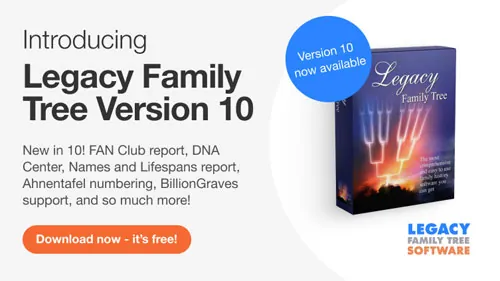
After all these years, Geoff has finally found the marriage record of his 4th great-grandparents. To celebrate, he’s inviting you to join him as he adds the new information to his personal Legacy 10 family file. In this live, unscripted, and unrehearsed webinar, you will learn the 7 steps of adding any online document to Legacy. And for the first time, you will get to see the new FAN Club report in action. You’ll be certain to pick up tips and tricks along the way.
After all these years, Geoff has finally found the marriage record of his 4th great-grandparents. To celebrate, he’s inviting you to join him as he adds the new information to his personal Legacy 10 family file. In this live, unscripted, and unrehearsed webinar, you will learn the 7 steps of adding any online document to Legacy. And for the first time, you will get to see the new FAN Club report in action. You’ll be certain to pick up tips and tricks along the way.
Legacy QuickTip: How to make a list of ancestors in Legacy from ___________?
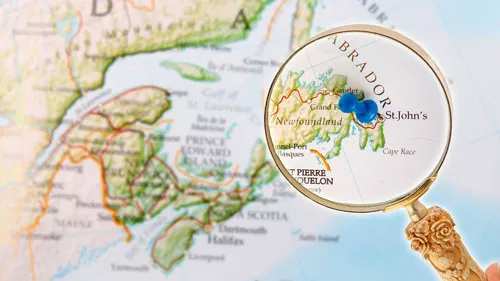
Join Legacy’s Geoff Rasmussen as he uses the Legacy Family Tree software to demonstrate how to create a list of ancestors who lived in a certain place.
Join Legacy’s Geoff Rasmussen as he uses the Legacy Family Tree software to demonstrate how to create a list of ancestors who lived in a certain place.
Watch Geoff Live: Adding a City Directory (among other things…)
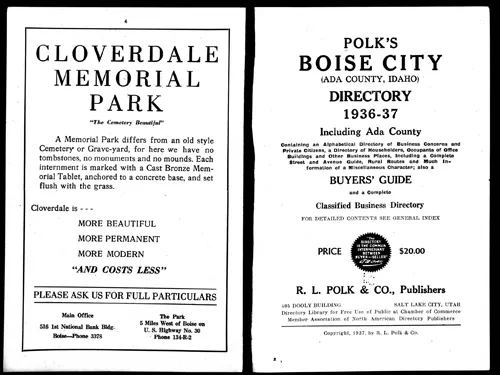
Geoff just discovered two incredible-to-him things about his great-grandfather – both from a city directory from MyHeritage’s new U.S. City Directories collection – and now he’s ready to add the new information to his personal tree in his Legacy Family Tree software. You’re invited to join Geoff as he does…
Geoff just discovered two incredible-to-him things about his great-grandfather – both from a city directory from MyHeritage’s new U.S. City Directories collection – and now he’s ready to add the new information to his personal tree in his Legacy Family Tree software. You’re invited to join Geoff as he does…
Legacy 9 Unlocked (part 9): Adding an Entry from an Online Database
In this class, “Adding an Entry from an Online Database,” you’ll learn the six steps of adding information from any online database to Legacy. You’ll also learn about the Find A Grave tool.
In this class, “Adding an Entry from an Online Database,” you’ll learn the six steps of adding information from any online database to Legacy. You’ll also learn about the Find A Grave tool.
Diccionario geográfico de España para genealogistas: cómo interpretar lugares antiguos en tus investigaciones familiares
Tue, March 10 2026: 14:00 UTC
Aprende a usar un diccionario geográfico de España para tus estudios genealógicos. Descubre cómo identificar pueblos desaparecidos, cambios de nombres, y divisiones históricas que afectan tu árbol familiar. Ideal para genealogistas y aficionados a la historia familiar.
Aprende a usar un diccionario geográfico de España para tus estudios genealógicos. Descubre cómo identificar pueblos desaparecidos, cambios de nombres, y divisiones históricas que afectan tu árbol familiar. Ideal para genealogistas y aficionados a la historia familiar.
Leveraging Freedom of Information Laws to Procure Novel Records
Wed, March 11 2026: 18:00 UTC
This lecture will explain Freedom of Information Laws, and what genealogists can do with them. A variety of jurisdictions and case studies will be discussed.
This lecture will explain Freedom of Information Laws, and what genealogists can do with them. A variety of jurisdictions and case studies will be discussed.
From Research to Data with AI 1 of 5: From Records to Raw Data—Extracting with AI
Thu, March 12 2026: 0:00 UTC
Use AI to extract, clean, organise, and analyse your family history research. Intermediate level, focused on workflows and data handling; ideal for users managing large research projects; activities include table-building, clustering, and data cleaning.
Use AI to extract, clean, organise, and analyse your family history research. Intermediate level, focused on workflows and data handling; ideal for users managing large research projects; activities include table-building, clustering, and data cleaning.
La plupart des généalogistes n’exploitent pas pleinement tous les indices disponibles dans les annuaires municipaux. Apprenez à aller au-delà d’une simple « recherche » de vos ancêtres et de leur famille. Comprenez comment les annuaires municipaux ont été créés, les secrets des différentes abréviations et comment utiliser l’approche F.A.N. Club pour obtenir le plus d’informations possible. Ce webinaire fait partie du séminaire de généalogie MyHeritage d’une journée, diffusé en direct depuis le siège de MyHeritage à Or Yehuda, en Israël.
Les sous-titres et la voix de cette vidéo ont été doublés en français à l’aide de l’IA.
La plupart des généalogistes n’exploitent pas pleinement tous les indices disponibles dans les annuaires municipaux. Apprenez à aller au-delà d’une simple « recherche » de vos ancêtres et de leur famille. Comprenez comment les annuaires municipaux ont été créés, les secrets des différentes abréviations et comment utiliser l’approche F.A.N. Club pour obtenir le plus d’informations possible. Ce webinaire fait partie du séminaire de généalogie MyHeritage d’une journée, diffusé en direct depuis le siège de MyHeritage à Or Yehuda, en Israël.
Les sous-titres et la voix de cette vidéo ont été doublés en français à l’aide de l’IA.
Northumberland and Durham, in the extreme north-east corner of England, are often united when discussing family history. Our ancestors moved easily back and forth across the River Tyne, to live and work, connected by the City of Newcastle-Upon-Tyne on the boundary. Discover the key resources and how to locate them in the various archives covering the two counties. Learn how to effectively use the catalogues and finding aids, see what is available online or what can only be accessed in archives or libraries. Also learn about what records are different and unique to these two counties and are really helpful in your research.
Northumberland and Durham, in the extreme north-east corner of England, are often united when discussing family history. Our ancestors moved easily back and forth across the River Tyne, to live and work, connected by the City of Newcastle-Upon-Tyne on the boundary. Discover the key resources and how to locate them in the various archives covering the two counties. Learn how to effectively use the catalogues and finding aids, see what is available online or what can only be accessed in archives or libraries. Also learn about what records are different and unique to these two counties and are really helpful in your research.
Paleografía, Abreviaturas y Fórmulas Comunes de los Archivos Parroquiales en América Latina
Tue, March 17 2026: 18:00 UTC
Los archivos parroquiales constituyen una de las fuentes genealógicas más ricas de América Latina, pero también una de las más desafiantes. Este webinar guiará a los asistentes en la lectura e interpretación de registros sacramentales—bautismos, matrimonios y entierros—desde la época colonial hasta el siglo XX. Se abordarán principios básicos de la paleografía, abreviaturas frecuentes, fórmulas eclesiásticas y variaciones regionales en la manera de registrar información. Se incluirán ejercicios prácticos de lectura de documentos originales, con énfasis en errores comunes y estrategias efectivas para descifrar textos antiguos.
Los archivos parroquiales constituyen una de las fuentes genealógicas más ricas de América Latina, pero también una de las más desafiantes. Este webinar guiará a los asistentes en la lectura e interpretación de registros sacramentales—bautismos, matrimonios y entierros—desde la época colonial hasta el siglo XX. Se abordarán principios básicos de la paleografía, abreviaturas frecuentes, fórmulas eclesiásticas y variaciones regionales en la manera de registrar información. Se incluirán ejercicios prácticos de lectura de documentos originales, con énfasis en errores comunes y estrategias efectivas para descifrar textos antiguos.
By registering, you are submitting your information to Legacy Family Tree Webinars and agreeing to let us use it to contact you.
Thank you for registering!
You should receive a confirmation email with a link to the webinar soon.
You’ll also receive a reminder both the day before and one hour before the webinar begins. Didn’t receive a confirmation email?
You successfully registered for %s.
You should receive a confirmation email with a link to the webinar soon.
You’ll also receive a reminder both the day before and one hour before the webinar begins. Didn’t receive a confirmation email?