Spreadsheets for Genealogists: Mastering Charts, Filters, and Pivot Tables
Natalie Webb

Content


About this webinar
Take your genealogy research to the next level with advanced spreadsheet skills. Learn how to import GEDCOM and CSV files, manage large datasets, and uncover hidden connections using powerful search, filter, and pivot table techniques. You’ll also discover how to create dynamic charts that bring your family history to life. Perfect for genealogists ready to move beyond the basics and turn spreadsheets into powerful tools for analysis and storytelling.
About the speaker

Key points and insights
Unlock the hidden potential of your family tree research by transforming raw data into clear, actionable insights! In the Legacy Family Tree webinar titled Spreadsheets for Genealogists: Mastering Charts, Filters, and Pivot Tables, seasoned genealogist and technical expert Natalie Webb demonstrates how spreadsheet software can revolutionize family history tracking. While traditional text documents are ideal for narrative storytelling, spreadsheets provide a dynamic grid system perfect for identifying documentation gaps across large, multi-generational families. By learning to organize and manipulate structured data, researchers can spot missing links, track cemetery records, and visualize historical patterns in ways that regular text documents simply cannot match.
- The Power of Data Standardization: Before creating visual aids, it is crucial to standardize historical data, such as formatting location names consistently (e.g., using "NYC" for all New York City entries). This prevents spreadsheet software from creating redundant categories, resulting in cleaner, more accurate visual summaries.
- Streamlining Research with Advanced Filtering: Utilizing nested filters across multiple columns allows genealogists to instantly isolate specific subsets of data—such as tracking a single surname within a specific birth year and country—without deleting or altering the master family list.
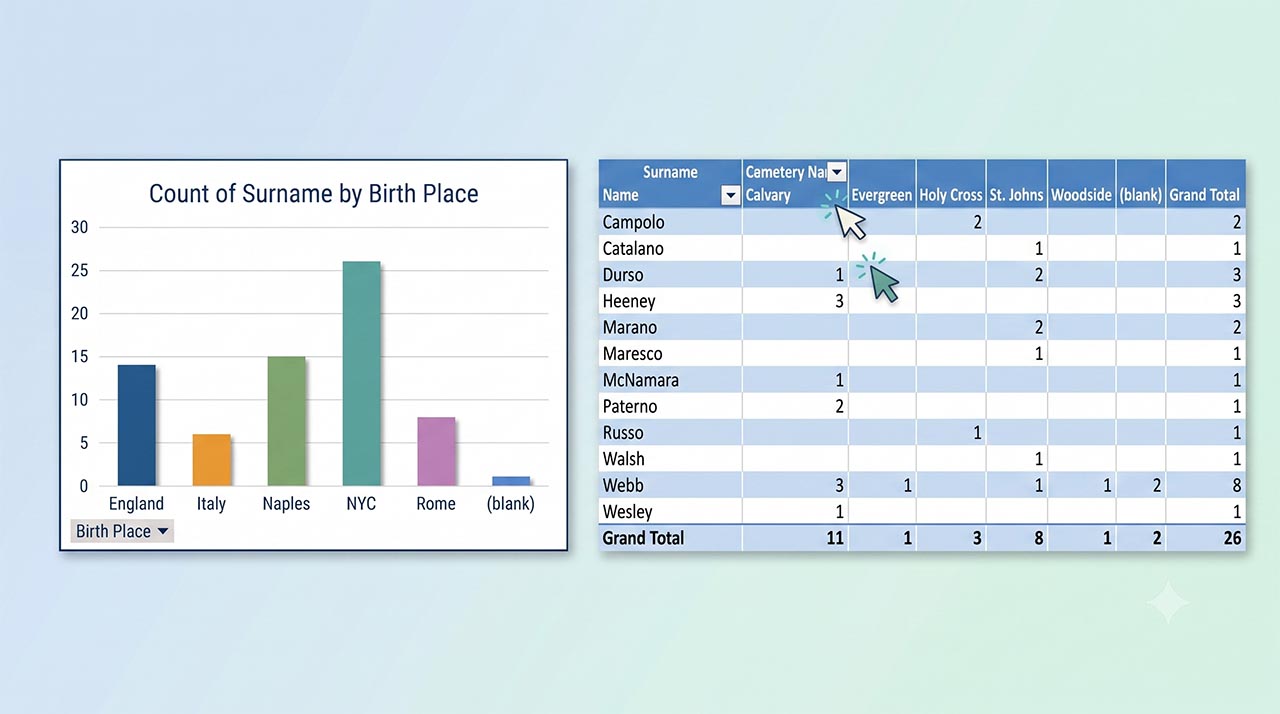
- Unlocking Deep Insights via Pivot Tables: Unlike basic charts that only display a count of a single data point, pivot tables allow researchers to cross-reference three types of data simultaneously. This enables complex analysis, such as viewing the exact distribution of different branches of a family across various regional cemeteries.
Ready to elevate your genealogy research and master these essential digital skills? Watch the full replay of Natalie Webb’s webinar on the Legacy Family Tree website to see live, step-by-step demonstrations in both Microsoft Excel and Google Sheets. To gain an even deeper understanding and access exclusive templates, be sure to sign in and explore the comprehensive companion syllabus available in the member library. Diving into these digital tools will save you hours of manual sorting and bring a fresh, analytical perspective to your ancestral journey!
Related webinars
 00:06:12
 00:14:25
 01:08:18
 01:33:42

 00:14:25


Comments (61)
Very helpful!! I was not able to download the people list using Ancestry, so I used My Heritage Family Tree Maker. I went to Customized Reports and put in the info I wanted to use and it downloaded a chart to Excel. I did have some cleaning up to do. I was able to download over 2000 names.
VERY helpful! Thank you!
I learned more in 30 minutes with Natalie Webb today than searching for proper terms to input in YouTube search ... Mille Grazie Natalie ! I will definitely go watch your other videos on Legacy Family Tree Webinars after today's marathon.
Great information , it will make things so much easier ..... now just finding the time to do this !!!!!!
I learned a lot about filtering that always stumped me--so looking forward to playing with this and, finally, filtering for charts! Thanks so!
She knew her material and explained excel in way for everyone to understand.
Clear, thoughtful and very helpful!
Can’t wait to watch this.presentation again! I need step by step instructions on how to find that list of My People on Ancestry and then upload it to my Excel Spreadsheet