

Nuevas formas de sacar el máximo partido a tus coincidencias en MyHeritage
Alon Ehrenfeld, MyHeritage Webinars

Content

About this webinar
Los subtítulos y la voz de este vídeo se han doblado al español utilizando IA.
¿Alguna vez te has preguntado si hay más vínculos familiares por descubrir? Únete a nuestro emocionante seminario web, en el que revelaremos las últimas herramientas de MyHeritage diseñadas para ayudarte a descubrir más parientes y enriquecer la historia de tu familia. En esta sesión, te guiaremos a través de:
Emocionantes descubrimientos en tu página de inicio: descubre cómo nuestros nuevos widgets te muestran directamente nuevas coincidencias y descubrimientos fotográficos, para que nunca te pierdas ninguna pista importante. Una forma más sencilla de revisar las coincidencias: Echa un primer vistazo especial a nuestra nueva página unificada para revisar y extraer información de tus coincidencias. Hemos facilitado la comprensión de tu conexión y la decisión sobre qué hacer a continuación, todo en un solo lugar. Cómo encontrar aún más familiares: compartiremos un fantástico consejo sobre cómo puede pedir al sistema MyHeritage que busque nuevas coincidencias para usted. ¡Es una acción sencilla que podría desbloquear una rama completamente nueva de su árbol genealógico!
Tanto si lleva años con nosotros como si acaba de empezar, saldrá de esta sesión con nuevas habilidades que le ayudarán a dar el siguiente gran paso en la historia de su familia. ¡Estamos deseando verle allí!
About the speakers


Key points and insights
Genealogical research thrives on connections, and MyHeritage’s Smart Matches and Record Matches are designed to make those connections more accessible than ever. In this Webtember presentation, Alon Ehrenfeld, senior product manager at MyHeritage, unveils new tools and design updates that help users uncover, review, and manage their matches with greater clarity and efficiency. The session introduces practical innovations—such as discovery widgets and a redesigned Review Match page—while also offering insider tips to trigger fresh discoveries in your family tree.
Key Takeaways:
-
Discovery widgets at your fingertips: MyHeritage now places Smart Matches, Record Matches, and photo discoveries directly on your family site homepage. These dynamic “widgets” highlight new clues immediately, keeping valuable information front and center without requiring extra navigation.
-
Streamlined Review Match page: A new side-by-side comparison layout makes it easier to confirm or reject matches and extract key facts into your tree. With clearer visuals and intuitive design, users can confidently evaluate matches while preserving accuracy in their research.
-
Insider strategies for unlocking more matches: Adding even a small detail—such as a sibling’s name, a maiden name, or a corrected date—can trigger MyHeritage’s matching algorithm to re-search its vast databases. Ehrenfeld highlights how even minor updates can lead to new Smart or Record Matches, delivered via email notifications.
By demonstrating live examples, Ehrenfeld shows how these improvements help genealogists find overlooked records, collaborate with others, and integrate discoveries directly into their trees. He also answers common questions about managing duplicates, ignoring specific matches, and handling GEDCOM uploads—offering practical guidance for both beginners and seasoned researchers.
This presentation illustrates how MyHeritage continues to refine its tools to make family history research more intuitive and rewarding. To explore the full scope of these updates and see them in action, view the complete webinar. The accompanying syllabus provides step-by-step instructions and additional resources to help you maximize your use of Smart Matches and Record Matches. Together, these tools can transform small data points into meaningful family history breakthroughs.
Related webinars
 00:53:57
 01:24:40

 01:16:46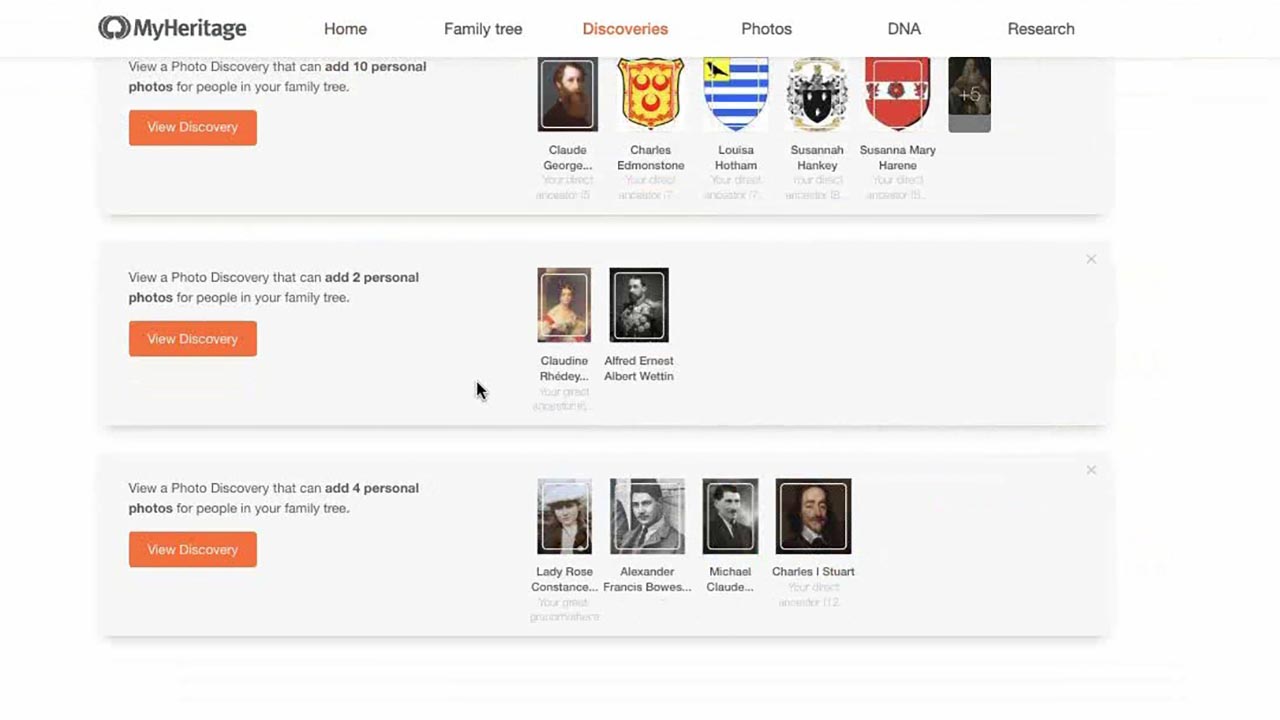
 01:11:41